A LinkedIn content calendar for freelancers: 15 useful posts
Build a 15-post LinkedIn calendar around real work. A developer-focused example, a downloadable CSV and a walkthrough of PostedIn’s free planner.

Full-stack software engineer · Cairo
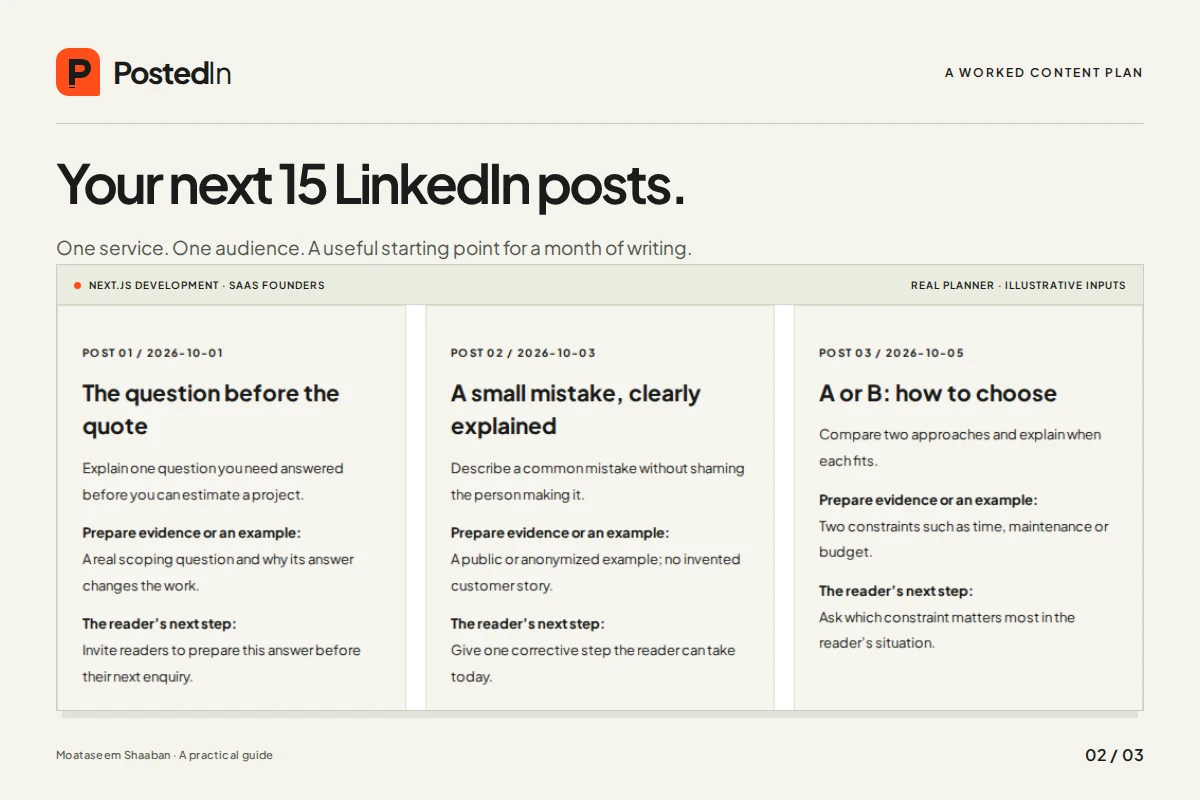
A freelancer’s LinkedIn calendar should help a possible client understand the work. Fifteen versions of “I build great websites” will not do that. A useful calendar makes room for decisions, examples, questions and a clear explanation of what someone can hire you to do.
Below is a worked example for a developer offering Next.js development to SaaS founders. It is an illustrative plan, not a report of a campaign I ran or a promise of results. You can download the example calendar as a CSV, then replace the subjects with your own work.
Decide who needs the explanation
“People interested in technology” is too broad for this example. A founder commissioning a first product needs to understand scope, cost drivers, delivery and maintenance. Another developer may want implementation details. Both can enjoy a post, but they are reading for different reasons.
Write down a sentence before choosing topics: “I help [specific person] complete [specific job].” For this calendar, that becomes: “I help SaaS founders turn a defined workflow into a usable first web app.” It is a direction for the examples, not a claim that every reader will become a customer.
Next, collect material you can actually show: a public project, a diagram you made, a measured performance test, a reusable checklist. Where you have no shareable example, write an explanation or label a hypothetical scenario. Do not fill the gap with an invented client success story.
The 15-post calendar
The days below are relative to the start of your plan. Every other day is a manageable example cadence, not a claim about what LinkedIn’s algorithm rewards. Move or remove a post if the material is not ready.
| Day | Post angle | Material to prepare |
|---|---|---|
| 01 | The question before the quote | An anonymized scoping question |
| 03 | A smaller first release | A clearly labelled example scope |
| 05 | A screen with an empty state | Your own empty-state design |
| 07 | One useful trade-off | A comparison with stated assumptions |
| 09 | Before handing over a design | A checklist readers can reuse |
| 11 | What a slow page costs the user | A measured test with its conditions |
| 13 | A decision you changed | Your own notes or commit history |
| 15 | A question from the brief | The question without client identifiers |
| 17 | A receipt is not a confirmed payment | A simple state diagram |
| 19 | A small product walkthrough | A public page or permission to share |
| 21 | What is included in a handoff | A sample handoff checklist |
| 23 | One boundary that protects customers | A fictional two-customer example |
| 25 | A useful resource | A working link and a concrete use case |
| 27 | Who your service fits | Your actual scope and availability |
| 29 | What to discuss before starting | A short, specific project-brief prompt |
The CSV download includes a specific writing prompt for every row. Keep an evidence column beside your drafts: a link, screenshot or note that supports what you intend to say. An empty evidence cell is a useful reason to change the claim before publishing.
Turn one row into a post
Take day 17: a receipt is not a confirmed payment. A generic version would say that every business needs a seamless payment experience. A more useful explanation names the decision a product team has to make.
Here is sample copy for an illustrative product scenario:
A payment receipt and a confirmed payment are different events.
If a customer uploads a bank-transfer receipt, the app knows that a file arrived. It does not yet know that the correct amount reached the correct account.
That means the customer needs a “waiting for review” state, the operator needs a way to confirm or reject it, and the product needs a clear rule for when access starts.
Before building the checkout screen, decide who confirms payment and what happens while the customer waits. That decision changes the workflow behind the screen.
The sample teaches one product distinction without inventing a percentage improvement or pretending to describe a paying client. If you use a real implementation as your example, identify the parts you can verify and link to public evidence where possible. PostedIn’s own onboarding has a receipt-review step; its public pricing and signup pages explain the current process.
Use the planner for structure
Open PostedIn’s free LinkedIn content planner. Enter your field and audience. Add a start date if you want dates assigned, then choose “Build my plan” and download the CSV.
The planner arranges 15 template-based writing angles. It does not generate finished personalized posts, connect a LinkedIn account or publish anything. Your form inputs stay in the browser; refreshing the page resets them, so save the CSV if you want to keep the plan.
The difference between the planner and this article matters: the tool gives you a reusable structure, while the calendar above demonstrates how one kind of freelancer could adapt it. Your examples and judgment supply the substance.
Review a small batch before filling the month
Draft the first three posts and read them together. Do they explain different things? Are all three aimed at the same person? Could a reader understand your contribution without already knowing your job title?
Then check each draft:
- ●Every result, quotation and first-person story must have a real basis.
- ●Any client material must be shareable with the right permission.
- ●The opening should identify the actual subject.
- ●The reader should leave with one explanation, example or action.
- ●A service invitation should name the kind of work you can help with.
Not every post needs a sales pitch. A checklist can finish by telling the reader when to use it. A service post can ask for a brief with the user, workflow and constraints. Make the next step fit the material.
Watch the conversations, not just the totals
Keep a simple note of the topic, publication link and any relevant enquiry. If someone contacts you, ask which work or article helped them understand your service. That is better evidence than assuming every impression came from a possible buyer.
Use the notes to choose the next batch. Questions about handoffs might deserve a fuller checklist; confusion about your offer might mean your profile or service page needs clearer wording. Fifteen published posts alone do not establish that the calendar worked.
If you want help preparing the actual content, my introduction to PostedIn explains the managed service and review process. If you want a product like the planner or a client portal built for your own business, see my web app development service.